
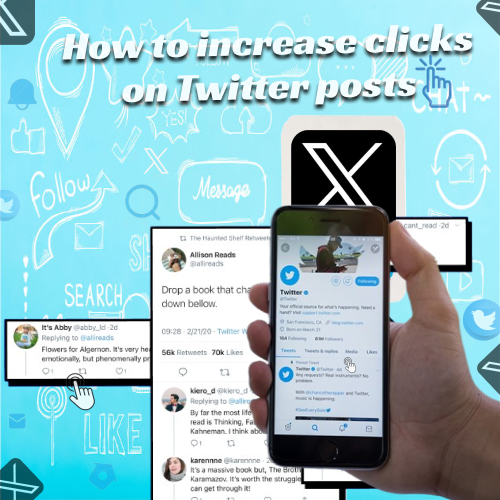
How to Increase Clicks on Twitter Posts
Twitter is one of the best platforms for quick communication, real-time updates, and building direct connections with your audience. But even with great content, many creators and businesses struggle to get people to interact with their tweets especially when it comes to link clicks. If you want more traffic, more engagement, and more visibility, learning How to increase clicks on Twitter posts is an important step. The good news is that you don’t need complicated strategies or paid ads. With the right approach, you can boost your click-through rate using simple, effective methods.
Clicks are one of the strongest engagement signals because they show that your audience wants to learn more about what you’re offering. Whether you’re sharing a blog post, product link, event update, or service page, every click brings your audience a step closer to taking action. Higher clicks also tell Twitter’s algorithm that your content is valuable, which can help it reach even more people.
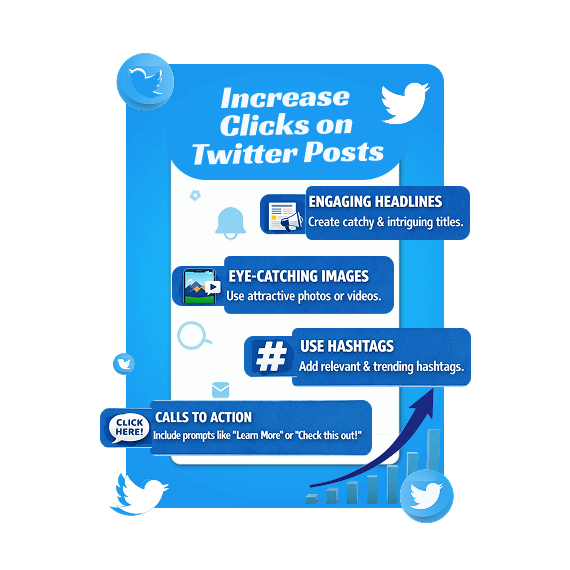
Write Clear and Compelling Headlines
Your tweet’s opening words are the first thing people see. If the message is boring or unclear, users will scroll past without clicking the link. A strong headline captures attention, creates curiosity, and tells your audience exactly why they should click.
Tips for better tweet headlines:
Use simple and direct language
Highlight the benefit or value
Create curiosity without being misleading
Keep it short and clear
For example, instead of saying, “New blog post is up,” try:
“5 easy tricks to boost engagement-Tip #3 will surprise you.”
Add a Call-to-Action (CTA)
Many users won’t click unless you invite them to. A call-to-action encourages people to take the next step and gives your tweet a clear purpose.
Simple CTAs you can use:
“Click to learn more”
“Read the full guide here”
“See the full list in the link below”
“Check out the details here”
A strong CTA can instantly increase your click rate.
Use Eye-Catching Visuals
Tweets with images, GIFs, or short videos usually get higher engagement than text-only posts. Visuals make your content stand out in a busy feed and encourage users to stop scrolling.
Use visuals like:
High-quality photos
Screenshots
Infographics
Short clips
Simple graphics with text
Make sure the visual relates to your tweet and matches the content of your link.
Post at the Right Time
Even the best tweet won’t get clicks if you post when your audience is offline. Timing plays a big role in visibility and engagement.
To find the best posting time:
Check your Twitter analytics
Monitor when your followers are most active
Test different posting times
Stay consistent once you find what works
Posting when your audience is active increases the chances of getting immediate clicks and interactions.
Keep Your Tweet Short and Easy to Read
How to Increase Clicks on Twitter Posts: People scroll quickly on Twitter, so long or confusing text can cause them to skip your post. Keep your message short, simple, and clear. Focus on the main point, the value you’re offering, and why the user should click your link. Less clutter means more attention. Short, direct tweets make your message easier to understand. Clear wording also encourages more people to engage with your post.
Use Relevant Hashtags (But Not Too Many)
Hashtags can help new users find your tweets, but using too many will make your post look messy. Stick to 1-3 relevant hashtags that match your topic or industry.
Examples:
#SocialMediaTips
#TwitterMarketing
#SmallBusiness
Relevant hashtags help your tweet reach people who are already interested in your topic, increasing your chances of getting clicks.
Engage With Your Audience
How to Increase Clicks on Twitter Posts: If your audience sees that you’re active and responsive, they’re more likely to click on your posts. Reply to comments, ask questions, and interact with other users’ tweets. This builds trust and encourages people to check out the content you share. Being present shows your followers that you care about their thoughts. Over time, this creates a stronger connection and leads to more engagement.
Share Valuable Content Consistently
People click when they trust your content. If your tweets consistently offer helpful tips, interesting insights, or valuable resources, your audience will naturally click on your links more often.
Types of valuable content include:
Guides
How-to posts
Helpful resources
Industry news
Educational threads
The more useful your tweets are, the more clicks you’ll get over time.
Final Thoughts
Improve your experience on the Twitter platform by learning How to increase clicks on Twitter posts with simple posting tips and easy interaction methods. Visit our site for more helpful guidance.